
The First Database Client You'll Enjoy Opening
Hero Demo Video
VIDEO (60–90s): Full product walkthrough. Open TableStudio, connect to a Postgres, MySQL or ClickHouse database, run a query with AI chat, view schema insights with index suggestions, open the ER diagram, show the MCP server config, and end on the command palette. Dark theme. Add captions for key features as they appear.
Connects to everything you already use
This Isn't an AI Chatbot Stapled to a Query Editor
- Schema-Aware AI ChatAsk questions against your actual tables and columns. No hallucinated column names, no generic guesses - just working SQL from an AI that knows your database.
- Natural Language BrowseFind records in any table using plain English. TableStudio generates SQL in the right dialect for whichever database you are connected to, runs it, and shows you the rows.
- Bring Your Own ModelAlready paying for GitHub Copilot or Codex? Connect it here. Tune model, temperature, and system prompt per connection.
The Index You're Missing Is Costing You Every Request
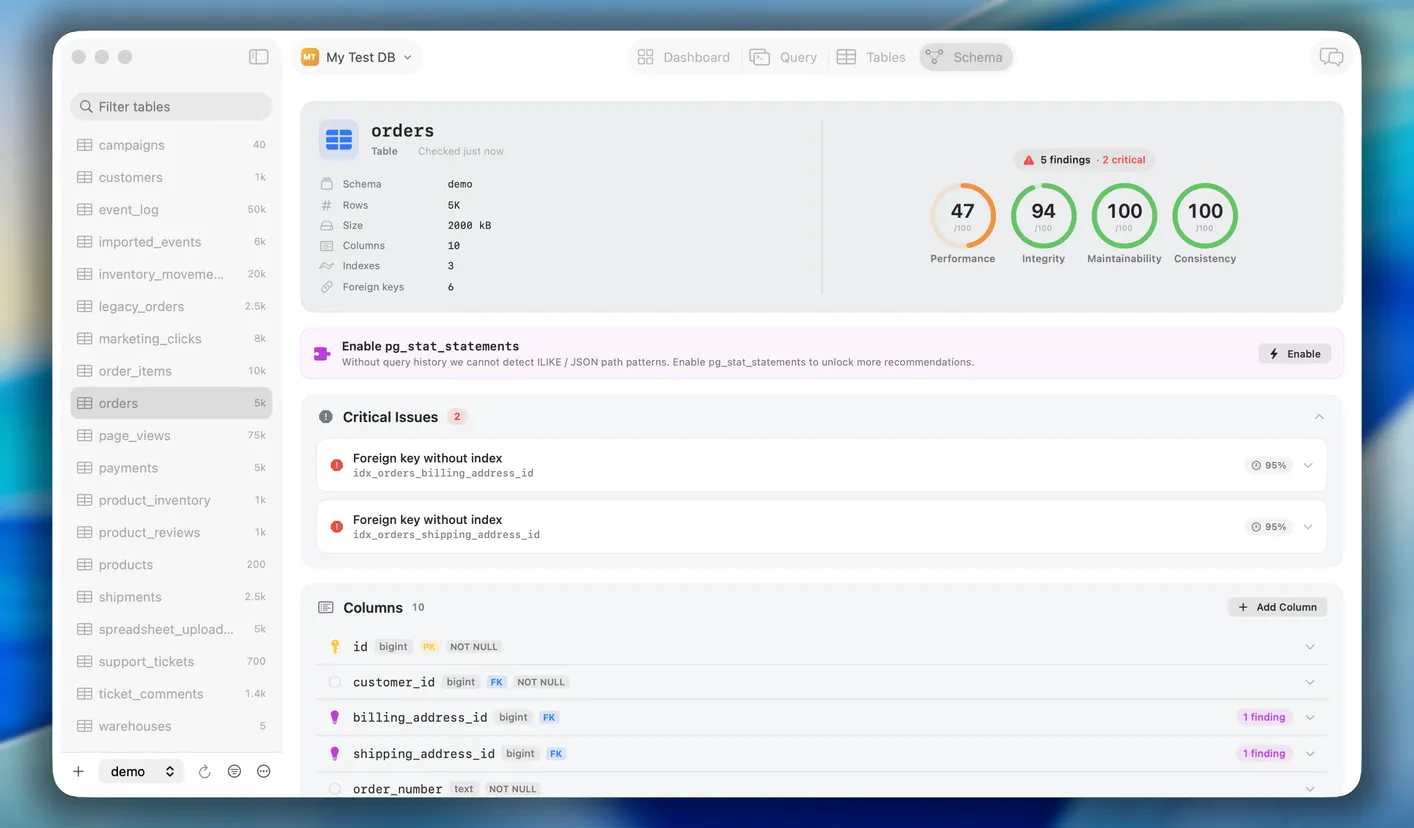
- Index Suggestions, EarnedBased on your real query patterns - not heuristics. Estimated speedup shown before you apply. One click to review, one click to run.
- ER Diagrams, Always CurrentGenerated from your live schema, not a static export from six months ago. Always reflects what you actually have.
- Schema Diffs That MatterCompare dev vs staging vs production side by side. Spot drift before it becomes an incident.
Prove the Rewrite Is Faster - and Returns the Same Rows
- Medians, Not Lucky RunsEvery runtime is the median of several executions. One run mostly measures cache state - Query Lab won't let a fluke convince you a rewrite helped.
- Same Rows, CheckedEach variant is checksummed against the baseline. A faster query that returns different results is a wrong answer, and you'll see it before you ship it.
- Test Indexes That Don't Exist YetWith hypopg, try a hypothetical index as a variant and see the planner's cost - nothing built, nothing locked, nothing to clean up.
IMAGE - Query Lab: a baseline query and two variants (an AI rewrite and a hypothetical index) side by side, with median runtime, planner cost, and a matching checksum column. Dark theme.
Stop Pasting Your Schema Into Every Chat Window
- Local MCP Server, Always RunningNo config, no cloud relay. Your AI tools connect directly to TableStudio, TableStudio connects to your database.
- Full Read, Write & MigrationsNot read-only. Your AI coding tools can do everything you can - with every action logged in the audit trail.
- Complete Audit TrailEvery query tagged with the tool that triggered it. When Claude runs a migration, you'll know - timestamp, duration, full SQL.
You Approve What Hits Your Database
- Staging & Approval FlowWrites, deletes, and schema changes from AI tools are held for review. Nothing destructive runs without your sign-off.
- Native macOS NotificationsReview and act on pending operations right from your notification center - no need to switch windows mid-flow.
- Approve, Edit, or IgnoreApprove the operation as-is, edit the SQL before it runs, or dismiss it entirely. Full control, zero friction.
IMAGE - macOS notification appearing over the TableStudio app: 'Claude wants to DELETE 847 rows from orders - staged for review'. Below it, a modal inside TableStudio showing the full SQL with three buttons: 'Approve', 'Edit', 'Ignore'. Dark theme, native macOS notification style.
Break Things in a Sandbox, Not in Production
- Real Data, Fake Data, or EmptySeed the sandbox with a copy of your data, foreign-key-aware generated rows, or just the schema. Your call per sandbox.
- Point Any Tool At ItEvery sandbox shows its connection string, so your app, tests, or AI coding tools can use it like any other database.
- Gone in One ClickDone experimenting? Discard the sandbox and its local server with it. No leftover containers, no stray databases.
Your Keyboard Should Run the Show
- Context-Aware CommandsThe palette adapts to what you have open. In the query editor? You get query actions. In the schema browser? Schema actions.
- Everything, InstantlyConnect to a database, jump to a table, trigger a backup, open the ER diagram - any action in the app, one keystroke away.
- Fuzzy Search Across EverythingTableStudio, connections, recent queries, migrations - all searchable from one place. No hunting through menus.
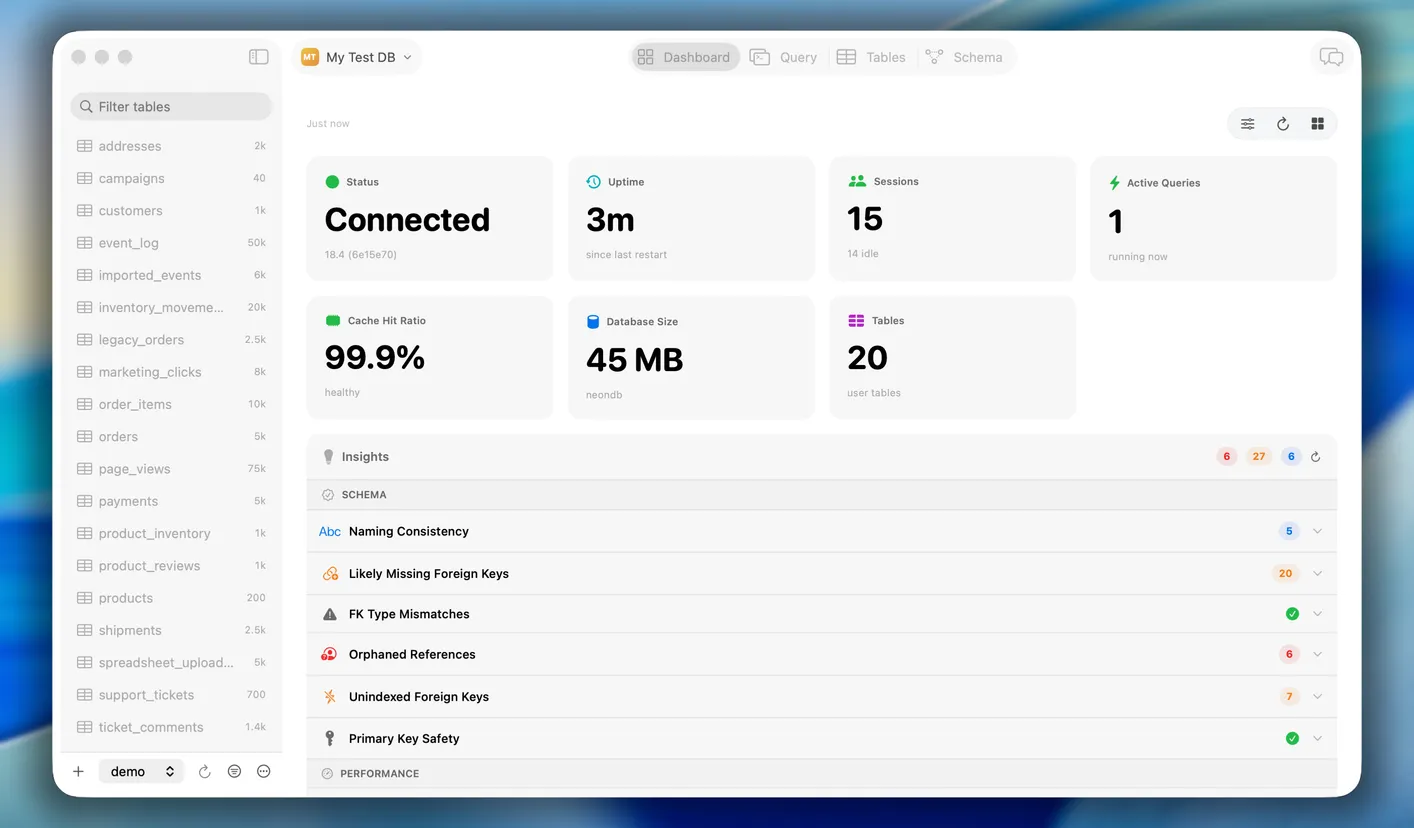
A Dashboard That Actually Knows Your Database
- Widget MarketplaceDefault widgets for DB health, query performance, and slow query trends. Browse and install community widgets in one click - or build your own.
- AI-Generated WidgetsTableStudio reads your schema and suggests widgets that make sense for your data. "Track orders by status" or "watch your users table growth" - proposed automatically, added in one click.
- Build With SQL or Plain EnglishWrite a SQL query and turn it into a widget. Or describe what you want to see and let the AI write the query. Either way, it's on your dashboard in seconds.
Every Feature, One App
One Payment. Lifetime Activation.
- 14 full days - all features
- No credit card required
- No account needed
- MCP server
- AI chat & search
- Lifetime activation - pay once
- Zero subscription, zero renewals
- All future updates included
- MCP server
- AI chat & schema insights
- DB hygiene & audit log
- Unlimited connections
Try TableStudio Free for 14 Days
macOS 12 Monterey or later · Apple Silicon & Intel · $99 one-time, lifetime activation after trial · no subscription
Devs who've tried TableStudio don't go back
Alex Rivera
Backend Engineer
Priya Nair
Staff Engineer
James O'Brien
CTO, Series A startup
Maya Chen
Platform Lead
Tobias Müller
Senior DBA
Sofia Park
Indie Hacker & SaaS builder
Marcus Thompson
Full-Stack Developer
Lin Wei
Lead Developer
Rachel Kim
Senior Backend Engineer